
Screen Wide, Go Deep: How the Best Multifamily Teams Set Up Their Chart of Accounts
A few weeks ago one of our newer clients, a principal at a growing multifamily shop, got serious on a deal. His third-party property manager sent over a Year 1 budget. He did what any sharp operator would do: he went into Archer, opened his chart of accounts, and started adding the PM's line items so the two would line up.
Then he opened his underwriting model and nothing flowed.
He emailed us and apologized for being "a difficult client." He wasn't. He'd run straight into the most common chart-of-accounts mistake we see, and we'd made it easy to make. So this post is the conversation we had with him, written down, because it's the same conversation we've had with a dozen teams this year.
The logic is sound. That's the problem.
Here's how every team arrives at the 200-bucket chart.
We tell you our mapping is accurate, and it is. You look at Archer's chart of accounts and see 188 pre-trained detail lines you can switch on: landscaping, pool, elevator, office supplies, answering service, keys and locks. If mapping is accurate and turning on a bucket is free, then more buckets means more information at no cost. Turn them all on.
That is a completely rational conclusion. It's also wrong, and the reason it's wrong is a variable nobody names when they quote an accuracy number.
The document is the constraint, not the model
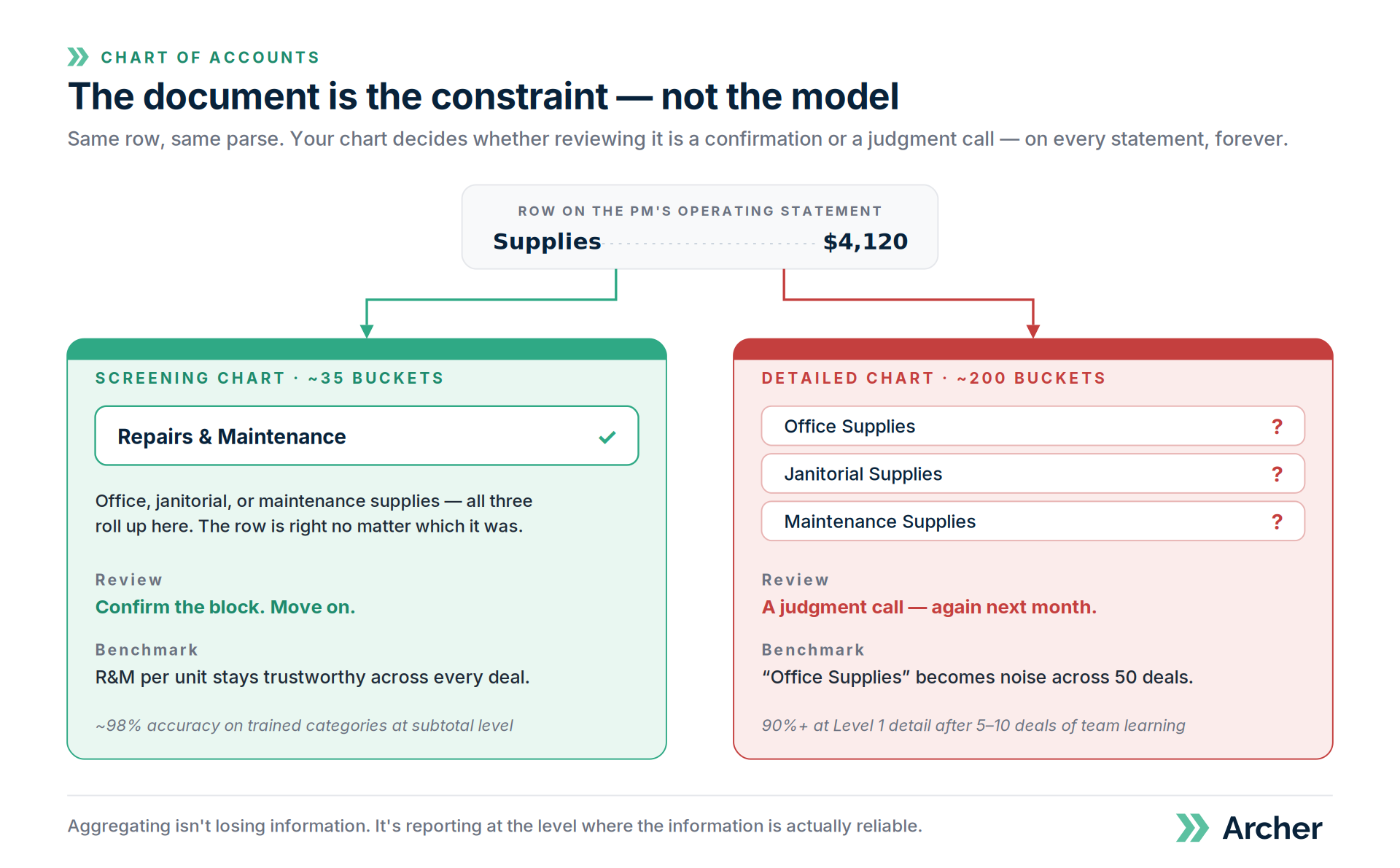
Take a row on a T12 that reads "Supplies — $4,120."
Is that office supplies, janitorial supplies, or maintenance supplies? It genuinely could be any of the three. No model recovers that from eight characters. Neither can your best analyst. Neither can the property manager who typed it, six months later.
If all three roll up into Repairs & Maintenance on your chart, the row is right no matter which it was. You confirm it and move on. If you've turned on separate buckets for all three, someone has to open that row and decide. And they have to decide again next month, because next month's statement still just says "Supplies."
We're not hitting the limit of the model. We're hitting the limit of the document.
This is why accuracy isn't one number. On trained categories at the subtotal level, Archer maps roughly 98% of line items correctly out of the box. At Level 1 detail, expect 90%+ after five to ten deals of your team's corrections. The gap between those two numbers isn't the software getting worse at detail. It's that finer buckets give every ambiguous row more places it could legitimately go.
Real estate people already have the intuition for this. A five-decimal exit cap is not a better exit cap. Precision past what the source supports isn't precision. It's false precision, and it looks authoritative right up until it costs you.
The math nobody runs at setup
Here's the part that actually hurts, and it isn't the accuracy hit.
At 35 buckets, you glance at a block of 25 R&M rows and confirm one answer. That's confirmation. Fast, low-attention, batchable.
At 200 buckets, you make 25 separate decisions, each one holding twenty near-identical options in your head. That's judgment. Slow, high-attention, and it doesn't batch.
Same document. Same parse. Same rows. The work changed category.
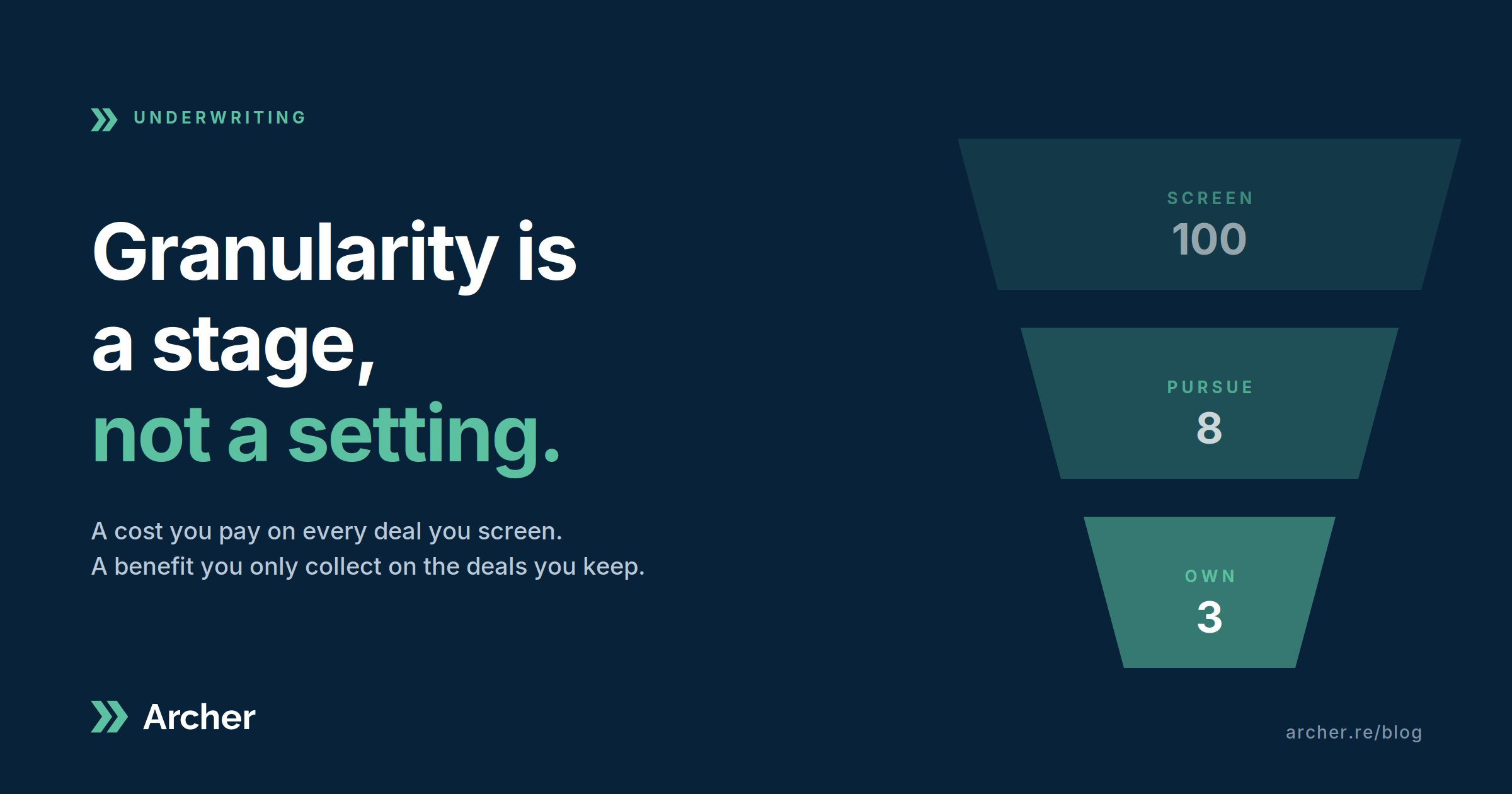
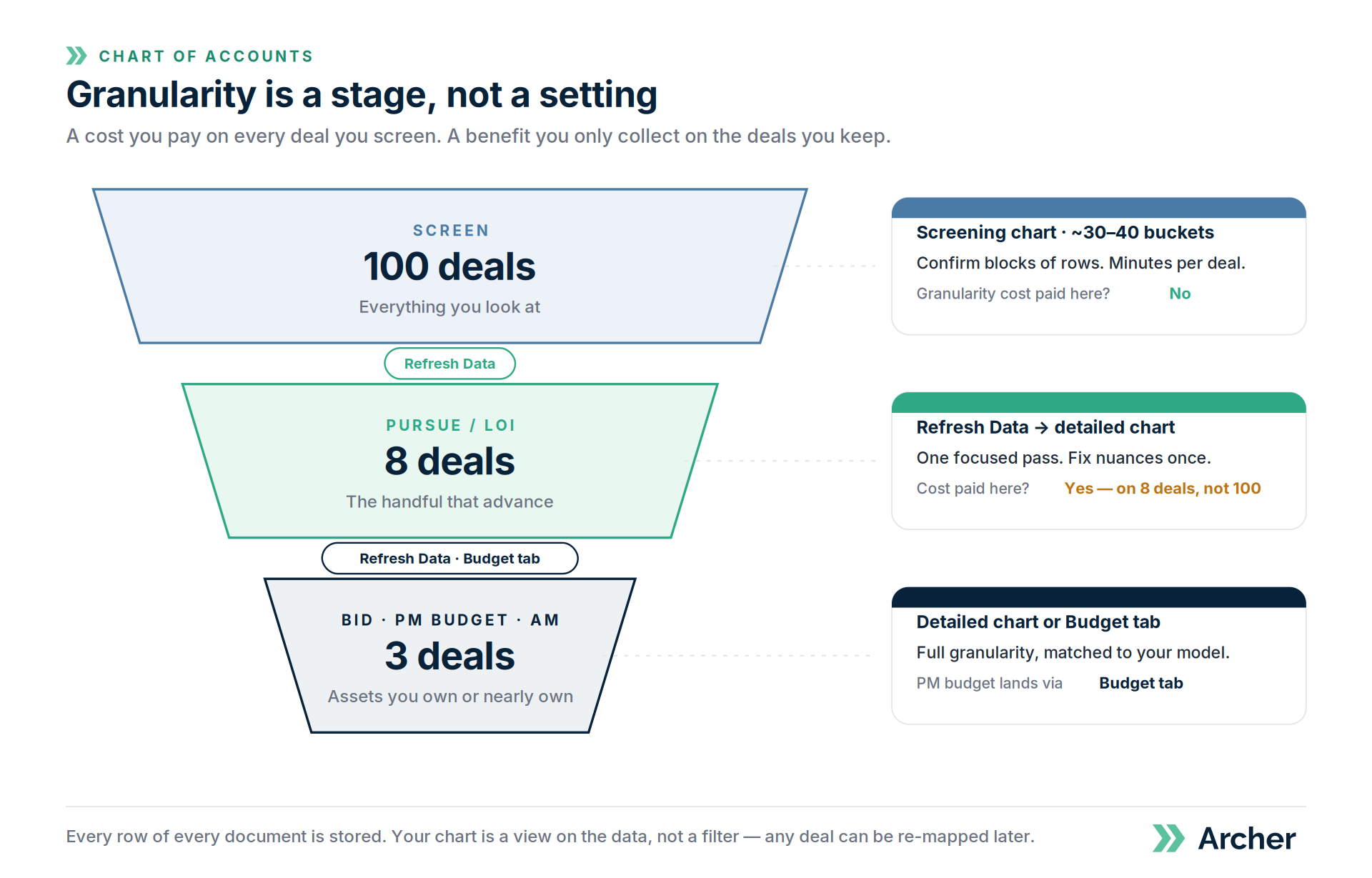
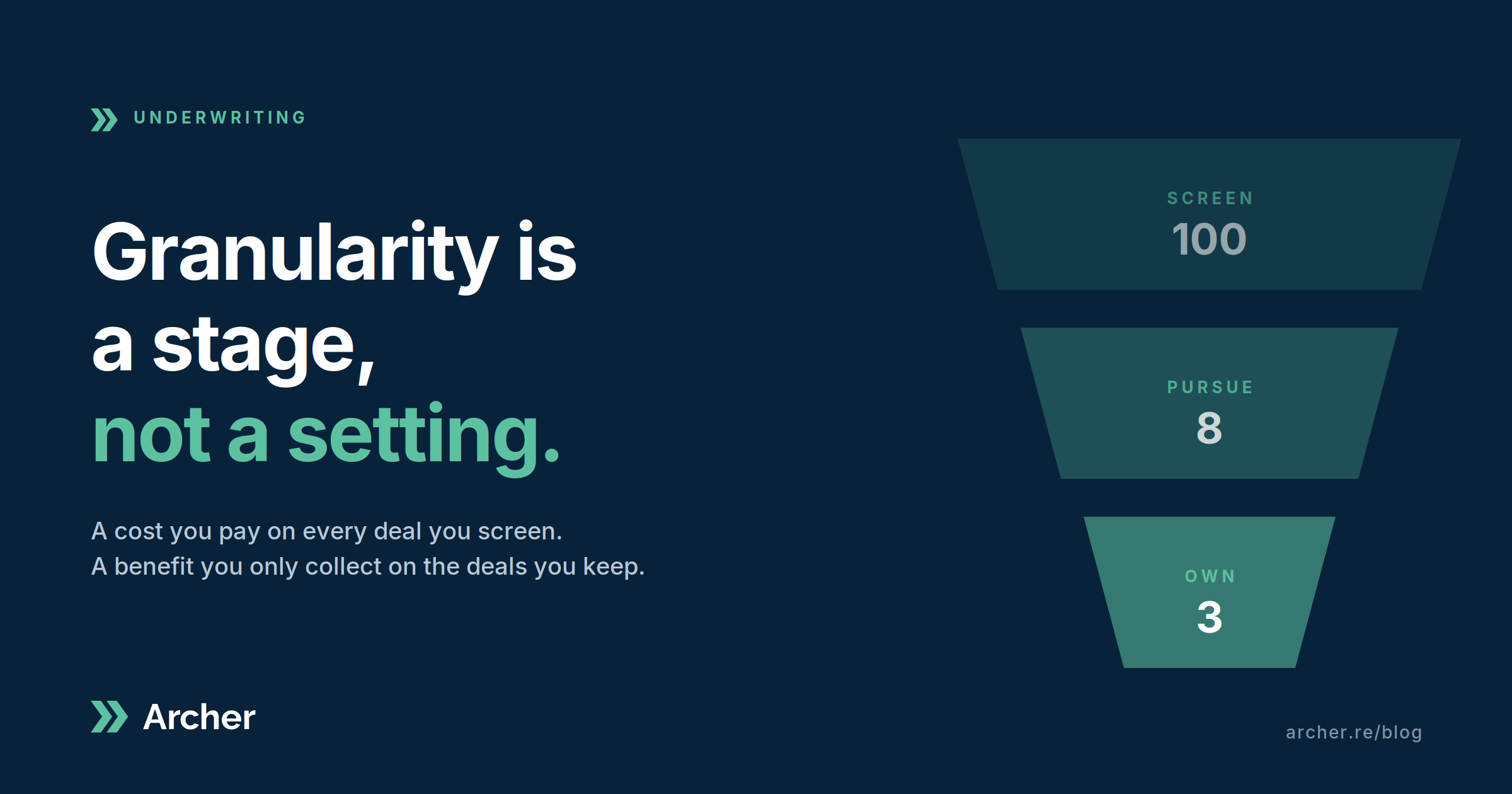
Now multiply by your funnel. If you screen 100 deals a quarter and pursue eight, a granular default means paying that review tax a hundred times to collect the benefit eight times. Granularity is a cost you pay on every deal you screen and a benefit you only collect on the deals you keep.
And there's a quieter cost that attacks the very reason you wanted detail. If "Supplies" lands in Office Supplies half the time and Janitorial the other half, your R&M total stays correct, but your Office Supplies benchmark is now noise. Fifty deals in, the granular comps you built the whole chart to produce are the least trustworthy numbers in your dataset. Aggregating isn't losing information. It's reporting at the level where the information is actually reliable.
Four ways teams solve this, and the one that usually wins
When we sat down with our client we walked through the four structures we've seen work, because all four do work. They just trade off differently.
One model at the PM's level of detail. Budgets flow in one-to-one. Every deal you screen pays for it. Right answer for teams that send most of what they underwrite to a PM. Wrong answer for teams that screen 20 to close one.
Two models. A fast one for screening, a detailed one for deals that get real. Clean in theory. In practice, your typed assumptions don't travel, your IRR moves between the two, and you spend the afternoon reconciling instead of underwriting.
One progressive model that starts high-level and drills down. This is how Archer's own standard model is built, and it's the lowest-friction option once it exists. It's also the biggest build, with the ugliest formulas, and the slowest time to value. Worth it for teams with real volume and the appetite to invest. Not where you start.
Keep your model high-level and parse the PM's budget into it. This is the one most people miss, and it's the one our client picked in about ninety seconds once he saw it.
You don't need a granular model to consume a granular budget. The budget is just another document. Archer parses it the way it parses any T12 and rolls their fifteen admin lines up into your one, then drops the result into Year 1 of your proforma. You get an accurate Year 1 from the PM's actual numbers, expressed at your level, with their detail one click away if you ever need to see what's inside "Payroll."
The question that settles it: do you need line-level comparison against the PM, or do you need their budget to land accurately? Those sound alike and aren't. Most teams who ask for the first actually need the second. The requirement was never to argue about office supplies. It was to make sure Year 1 was right.
What we shipped
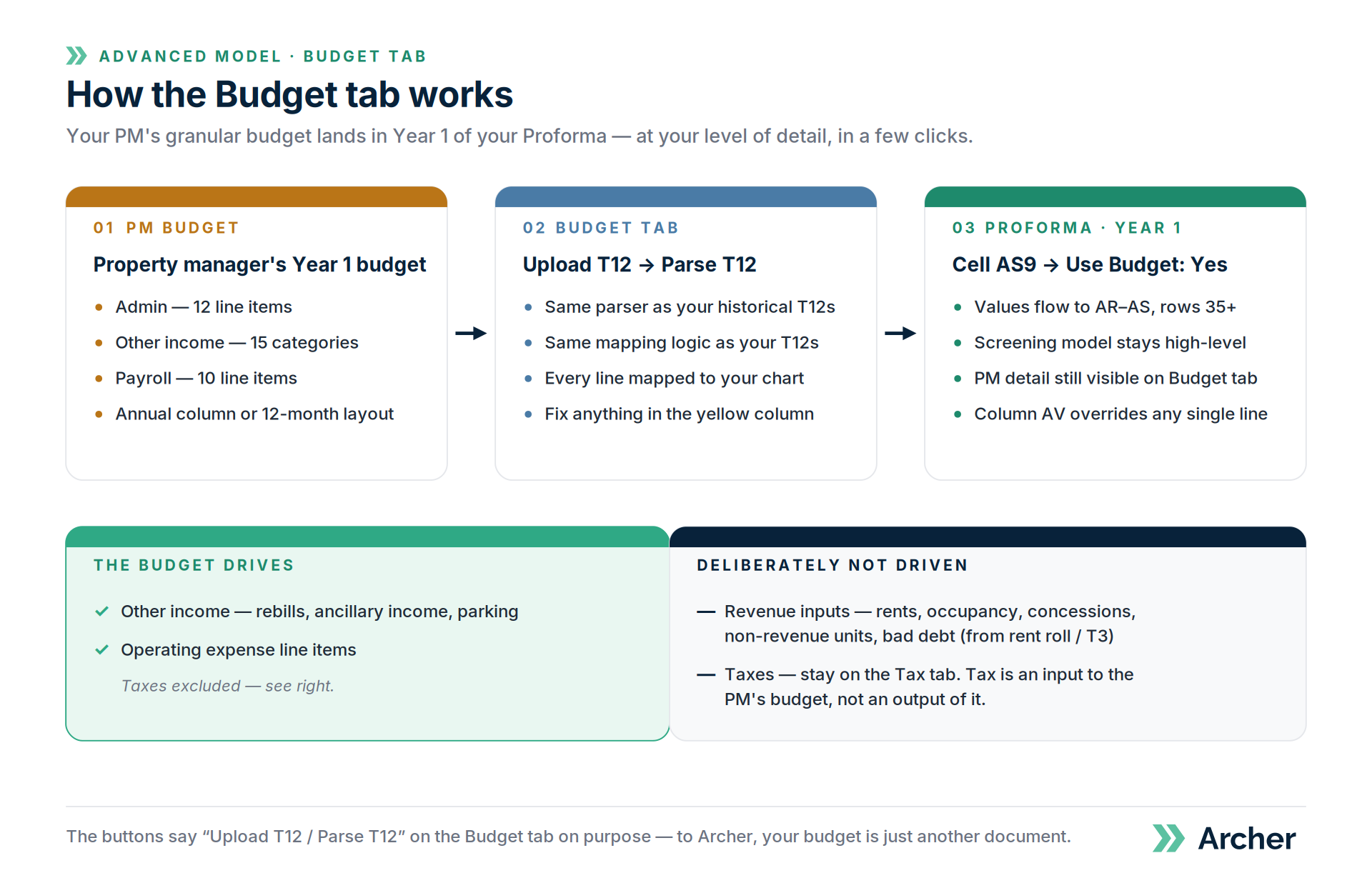
Our client wasn't the first person to bring this to us, so we did what we should have done a while ago and built it into the product. As of August 31, the Archer Advanced Model has a Budget tab. Upload a PM's Year 1 budget, hit Parse, and the mapped values flow into your proforma with a single toggle. Operating expenses and other income come from the budget. Revenue assumptions still come from your rent roll. Taxes still come from your Tax tab, on purpose, because detailed tax work is an input to the PM's budget, not an output of it. Any single line can be overridden.
Starter+ clients can have it added on request. The how-to is at help.archer.re/budget-tab-year-1-budget, and the full decision guide on the four structures is at help.archer.re/four-ways-to-structure-your-chart-of-accounts.
Nothing here is a one-way door
The single most common driver of the 200-bucket request isn't a workflow need. It's the fear that choosing less detail now means losing it forever.
It doesn't. Every row of every document you parse into Archer is stored. Your chart of accounts is a view on that data, not a filter that discards it. Screen at 35 buckets, and when a deal advances, hit Refresh Data and re-map it against your detailed chart in seconds. Nothing was thrown away in between.
So screen at the level your pass/pursue decisions actually need. Go granular when a deal earns it. Let the PM's budget land through the Budget tab when it shows up. And if you're already living in a 200-bucket chart and review feels slow, email us. We'll build a screening chart alongside it, you'll run your next five deals both ways with a stopwatch, and the data will make the argument for us.
Archer doesn't make you choose between fast and detailed. It lets you choose when you're detailed.